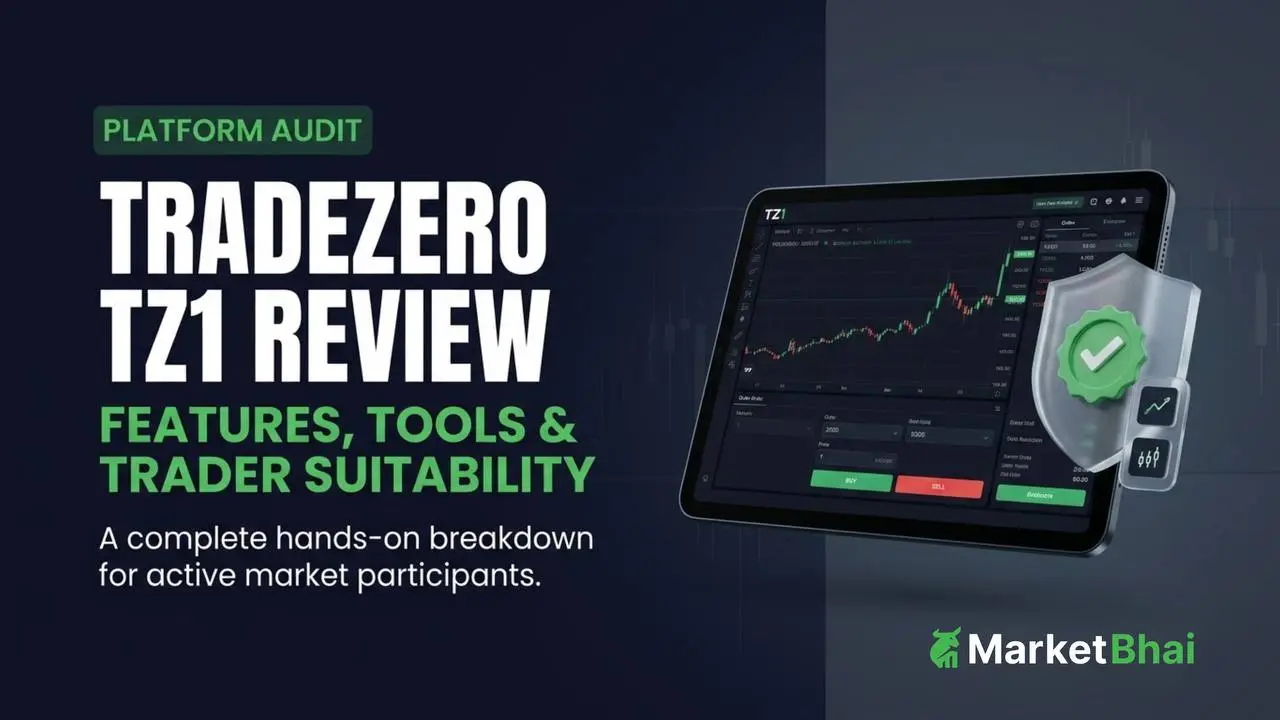

TradeZero TZ1 is a browser-based trading platform engineered for active day traders, short sellers, and options execution. It bridges the gap between basic web platforms and heavy desktop software, combining real-time execution tools, integrated TradingView charting, and flexible short-locate systems directly inside any standard web browser.
If you want fast browser execution, access to hard-to-borrow shares, and customizable workspaces without paying monthly platform fees, TZ1 is built for your workflow. However, traders who require deep multi-monitor desktop setups or extensive historical tick data may still prefer desktop-native engines.
TZ1 at a Glance
| Feature | Capabilities | Practical Edge | Best For |
| Access Model | Browser-based (Runs on Windows, Mac, Linux) | No software installation or OS restrictions | Cross-platform & Mac users |
| Platform Fee | $0/month | Zero overhead for base web platform access | Active traders keeping fixed costs low |
| Charting | Integrated TradingView Charts | Trade directly from charts with 110+ indicators | Technical setup traders |
| Short Locates | Real-Time Locate & Credit-Back System | Access HTB stocks & return unused locates for credit | Short sellers & momentum traders |
| Execution Tools | Custom HotKeys & HotKey Decks | Instant order entry, position flattening, and cancels | Speed-focused day traders |
| Options | Single & Multi-Leg Chains with Real-Time Greeks | Integrated option scanning and strategy setups | Active options traders |
What Is TradeZero TZ1?
TradeZero TZ1 is TradeZero’s next-generation web trading environment designed to offer professional-grade tools within a browser. It removes the friction of downloading heavy software packages while preserving high-speed trading features.
TradeZero TZ1 in Simple Terms
TZ1 allows you to log in from any modern web browser and immediately access customizable layouts, real-time Level 2 streaming data, chart-based trading, and advanced short-locate tools. It gives you active-trader capabilities without tying you to a single desktop workstation.
Where TZ1 Fits vs ZeroPro, ZeroFree, and ZeroMobile
To choose the right tool, compare how TZ1 stacks up across the platform ecosystem:
- TZ1: Browser-based, feature-dense platform with TradingView integration, HotKey decks, stock scanning, and full short-selling functionality at $0/month.
- ZeroPro: The flagship Windows-only desktop application built for multi-monitor setups and heavy window attachment.
- ZeroFree: A simplified browser portal suited for basic layouts and newer traders.
- ZeroMobile: The companion mobile app for iOS and Android, keeping positions and orders synced in real time across devices.
For insights into how other global platforms work, explore our detailed guide on what is TradeX.
TradeZero TZ1 Features at a Glance
TZ1 packages specialized execution components into a modular browser interface.
TZ1 Feature Checklist
- Level 2 Market Depth: Real-time visibility into order books and market maker movements.
- ProScanner Widget: Built-in real-time stock filtering by price, volume, and breakouts.
- TradingView Engine: Responsive charting with 110+ technical indicators and drawing tools.
- HotKey Decks: Custom keyboard shortcuts for instant execution across different strategy profiles.
- Squawk Audio & News: Low-latency news feeds and streaming audio for headline momentum.
Standout Differentiating Features
The primary advantage of TZ1 is its ability to combine chart-based execution with locate credit-back mechanics. You can spot a technical setup on a TradingView chart, request short locates directly inside the workspace, and place your order without touching a separate window.
How Does TradeZero TZ1 Work?
TZ1 organizes your daily trading process into four structured execution steps:
Step 1: Find Opportunities with ProScanner
Use the built-in ProScanner widget to screen U.S. equities in real time. Filter by top gainers, volume surges, price thresholds, or customized technical triggers to instantly generate hot stock watchlists.
Step 2: Analyze with TradingView Charts
Click any stock ticker from your scanner to open it in TradingView charts. Analyze multi-timeframe price action, draw support levels, apply indicators, and track Level 2 bid/ask liquidity.
Step 3: Place and Manage a Trade
Execute orders directly off the chart interface or via custom HotKeys. Choose limit orders, stop-losses, trailing stops, or bracketed market orders depending on your entry model.
Step 4: Monitor Positions and Risk
Track active trades through real-time portfolio widgets. Monitor buying power, unrealized P&L, and open orders, making rapid adjustments using manual drag-and-drop stop triggers or position-flattening keys.
If you are exploring cross-market options, see our guide to the best app for online trading in India.
Detailed Evaluation of Trading Tools
- TradingView Integration: Offers precise charting tools synced across devices. Traders can execute trades directly on chart bars, reducing order latency.
- Real-Time Scanner: Operates up to three simultaneous scanner windows with savable preset filters to target pre-market, gap-up, or low-float stocks.
- Level 2 Market Data: Displays market maker quotes clearly, essential for spotting hidden liquidity and sizing entries.
- HotKeys & Decks: Create distinct HotKey “decks” tailored to different market conditions (e.g., scalp deck vs. swing deck).
- Modular Workspaces: Includes 12 pre-built workspace templates plus complete layout customization via drag-and-drop widgets.
Short Selling Capabilities on TZ1
Short selling requires access to borrowable shares, particularly for high-volatility, hard-to-borrow (HTB) names. Short tools are built directly into the main operational workflow.
Short Tooling Breakdown
- Single-Use Locates: Cost-effective locate options for short-term trades on threshold securities.
- Pre-Borrows: Reserve hard-to-borrow inventory before market open to ensure instant short execution during high-volatility windows.
- Direct HTB Locates: Source inventory dynamically from the central pool in real time.
- Locate Credit-Back System: If you acquire HTB locates but do not end up shorting the full position, mark unused shares for credit to recoup a portion of the locate fee.
Market Note: Short selling carries market risk. The availability of locates and borrow rates change based on market supply and demand.
Options Trading Features
TZ1 includes built-in options execution capabilities:
- Dynamic Options Chains: Stream side-by-side call and put pricing along with real-time Option Greeks (Delta, Gamma, Theta, Vega).
- Multi-Leg Order Entry: Build and execute multi-leg option strategies directly through clean interface screens.
- Strategy Overview Charts: Visualize potential risk/reward curves across DTE and longer-dated option structures before confirming execution.
Pricing Model & Fee Structure
Understanding total execution cost requires looking beyond the basic monthly platform fee.
| Fee Component | Charge Amount | Conditions & Applicability |
| TZ1 Platform Fee | $0 / month | Included free for account holders |
| Limit Orders (Non-Marketable) | $0 commission | Standard conditions apply (200+ shares on major stocks above $1) |
| Marketable / Small Orders | Flat fee or per-share rate | Apply to orders under 200 shares or sub-$1 stocks |
| Options Commission | $0 commission ($0.42 contract fee) | Standard exchange routing/clearing charges apply |
| OTC Equities Level 1 Data | $5 – $8 / month | Applicable for traders operating in OTC markets |
| Locate Fees | Variable dynamic pricing | Determined dynamically by stock demand and share availability |
For comparative cost analysis on commission structures, see our review on zero-brokerage trading apps.
Compatibility Across Devices
Because TZ1 is engineered as a cloud-native browser application, device compatibility is seamless.
- Mac Compatibility: Works on macOS via Chrome, Safari, Firefox, or Edge without requiring virtual machines or Windows emulation.
- Windows & Linux: Runs on modern web browsers across operating systems.
- System Efficiency: Reduces system resource demands compared to traditional executable desktop applications while keeping settings synced in the cloud.
Platform Comparison: TZ1 vs ZeroPro
Choosing between TZ1 and ZeroPro depends on your preferred operational setup:
| Metric | TradeZero TZ1 | TradeZero ZeroPro |
| Platform Type | Browser-Based Web Application | Native Desktop Software (Windows) |
| Monthly Cost | $0 / month | $59 / month (Waived with volume) |
| Mac Compatibility | Native Browser Access | Requires Windows Environment / Emulation |
| Charting Engine | Integrated TradingView | Proprietary Desktop Chart Engine (80+ indicators) |
| Custom Workspaces | 12 Pre-built + Custom Drag & Drop | Advanced Detachable Multi-Window Layouts |
| Best-Fit User | Cross-platform active traders & short sellers | High-volume multi-monitor day traders |
Pros and Cons
Pros:
- Zero Platform Overhead: Access active trading tools at $0 base monthly cost.
- Native TradingView Integration: Trade directly off responsive charts.
- Robust Short Locates: Access HTB stock inventory with unused locate credit-back features.
- Universal Access: Fully compatible across macOS, Windows, and web-enabled devices.
Cons:
- Variable Locate Costs: HTB locate fees vary based on real-time market demand.
- Order Minimums for Free Trades: Specific routing and share size conditions apply to fee-free limit executions.
Who Is TradeZero TZ1 Best For?
- Active Momentum & Day Traders: Perfect for traders who need fast hotkey entries, streaming scanners, and Level 2 execution.
- Short-Bias Traders: Unlocks HTB inventory, pre-borrow scheduling, and fee recoups via locate credit-back.
- Mac Users: Offers an active browser trading environment without running virtual machine desktop clones.
- Cost-Conscious Active Traders: Eliminates monthly platform software fees while keeping high-speed execution intact.
Operational Reliability & Account Security
TradeZero operates through structured international broker-dealer entities maintaining high operational standards. Client funds are held in segregated banking accounts, protecting investor balances separate from operational funds. The infrastructure is reinforced with cloud data encryption, standard two-factor authentication (2FA), and low-latency API connections to ensure account security and market connectivity.
To learn more about market access tools, visit the MarketBhai Homepage.
Frequently Asked Questions (FAQ)
What is TradeZero TZ1?
TradeZero TZ1 is a browser-based trading platform built for active day traders, short sellers, and options traders, combining TradingView charts, Level 2 depth, and short locates inside a web interface.
Is TradeZero TZ1 free to use?
Yes, the platform fee for TZ1 is $0 per month. Market routing, locate fees, or specific data subscriptions may still apply based on your activity.
Does TZ1 work on Mac computers?
Yes, TZ1 runs in standard web browsers like Chrome, Safari, and Firefox, making it fully compatible with macOS without additional software setups.
Does TradeZero TZ1 feature TradingView charts?
Yes, TZ1 natively integrates TradingView charts, allowing traders to perform technical analysis and execute orders directly off chart screens.
How do short locates work on TZ1?
TZ1 allows traders to search, price, and secure short locates for hard-to-borrow stocks in real time, with the ability to return unused shares for potential fee credit.
Final Thoughts
TradeZero TZ1 offers a balanced blend of web flexibility and trading performance. By integrating TradingView charts, customizable hotkeys, dynamic stock scanning, and industry-leading short locate mechanics into a $0/month web app, TZ1 gives traders an edge across markets. Whether shorting momentum stocks, executing multi-leg option trades, or scanning for volume breakouts on a Mac, TZ1 serves as a reliable operational hub.