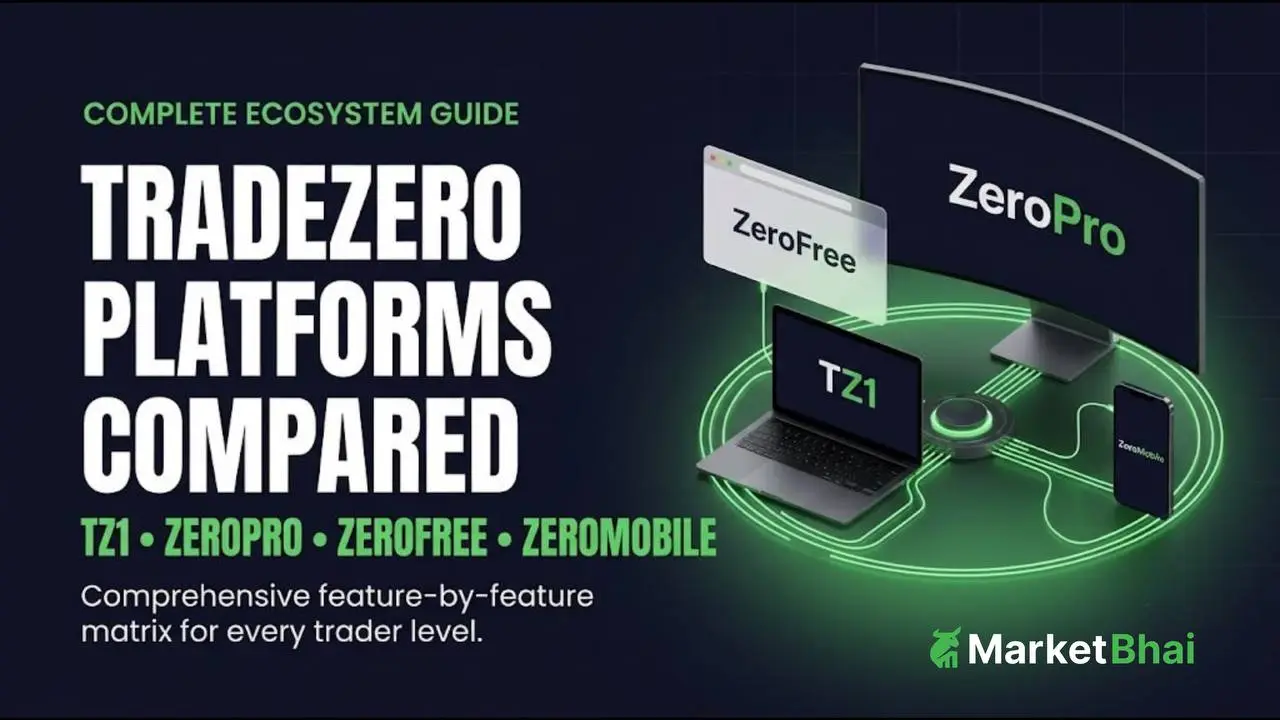

Choosing the right execution interface is a critical decision for active market participants. TradeZero provides unified account access across four primary interfaces, each tailored to distinct trading styles, analytical requirements, and operating environments: TZ1, ZeroPro, ZeroFree, and ZeroMobile.
TradeZero Platforms at a Glance
The four platforms share synchronized order routing, account risk checks, and real-time portfolio management while maintaining individual operational strengths.
Platform Highlights & Specifications
- TZ1: Targeted at advanced cross-OS traders. Operates via Web Browser (Cross-OS) with a $0 monthly fee. Features integrated multi-window Level 2 depth, advanced TradingView charting, full custom hotkey decks, multi-leg options with Greeks, and direct short locates.
- ZeroPro: Targeted at active desktop day traders. Operates as a Windows Desktop App with a $59/month fee. Features advanced multi-window Level 2 depth, built-in engine with 80+ indicators, advanced speed hotkeys, advanced options suite, and full short locates with credit-back features.
- ZeroFree: Targeted at beginner and web traders. Operates via Web Browser with a $0 monthly fee. Features standard Level 1 / basic Level 2 depth, standard charting, basic hotkey decks, single-leg options, and a basic short locator.
- ZeroMobile: Targeted at mobile companion traders. Operates via iOS / Android App with a $0 monthly fee. Features Level 1 / mobile Level 2 depth, interactive mobile charts, preset order buttons, mobile option chains, and mobile short locates.
Quick Verdict by Trader Type
- Best for Desktop Day Traders: ZeroPro offers dedicated multi-monitor windows, heavy hotkey mapping, and deep order book visibility.
- Best for Cross-OS & Technical Traders: TZ1 delivers native browser flexibility combined with TradingView charts and multi-leg option routing. For a complete look at this platform, check out our TradeZero TZ1 review.
- Best for Web Beginners: ZeroFree provides standard charting, watchlists, and short locators without subscription costs.
- Best for Mobile Execution: ZeroMobile delivers order management, position monitoring, and quick locates on smartphone devices.
What Is the Difference Between TZ1, ZeroPro, ZeroFree, and ZeroMobile?
TradeZero operates a single-account, multi-interface system. Position changes, balance updates, and active orders sync seamlessly across all active sessions. If you are new to the ecosystem, check our TradeZero login guide to access your account seamlessly across these tools.
TZ1
TZ1 is a browser-based, high-performance platform engineered for cross-platform compatibility. It features TradingView charts, modular workspace layouts, custom hotkeys, multi-leg options execution, and direct short locates without requiring OS emulation or desktop installation.
ZeroPro
ZeroPro is TradeZero’s flagship Windows desktop application designed for high-volume active intraday execution. It provides expanded Level 2 depth windows, extensive indicator libraries, advanced conditional/range orders, and rapid-fire hotkey decks built for low-latency intraday workflows.
ZeroFree
ZeroFree is an accessible, web-based platform tailored for new or casual traders looking for essential execution capabilities. It covers watchlists, core market data feeds, essential hotkeys, and basic locate search tools without charging a monthly platform fee.
ZeroMobile
ZeroMobile is a dedicated iOS and Android application built for trade management on the go. It features real-time position sync, interactive mobile charts, trailing stop capabilities, option chain views, and short locate requests directly from smartphone devices.
TZ1 vs ZeroPro
Choosing between TZ1 and ZeroPro comes down to operating system balance versus raw desktop multi-window performance.
Platform Architectural Comparison
- TZ1 Environment & Tools: Browser/Web native (Windows & Mac), integrated TradingView tools, multi-leg options routing, and $0 monthly platform subscription.
- ZeroPro Environment & Tools: Windows Desktop native app, multi-window Level 2 depth, advanced hotkey execution engine, and $59/month platform subscription.
Which Is Better for Active Traders?
For traders using Windows who run multi-monitor arrays with multiple open Level 2 windows and real-time scanners simultaneously, ZeroPro provides higher workspace customization and dense execution layouts. However, for traders who prioritize flexible browser performance, TradingView integration, or non-Windows devices, TZ1 delivers robust active-trading tools.
TZ1 vs ZeroPro on Windows and Mac
ZeroPro is a native Windows application. Running ZeroPro on macOS requires virtual machine environments or Windows emulation software. Conversely, TZ1 operates natively within modern web browsers across Windows, macOS, Linux, and iPadOS without configuration hurdles. You can learn more in our detailed breakdown of TradeZero desktop vs mobile platforms.
ZeroPro vs ZeroFree
Upgrading from ZeroFree to ZeroPro transitions your interface from a streamlined web window to a full desktop environment built for active day trading.
What Does ZeroPro Add?
- Expanded Level 2 Windows: View market depth across multiple tickers concurrently.
- Advanced Order Types: Access range orders, conditional order triggers, and advanced stop layouts.
- Expanded Charting Suite: Over 80 technical indicators and customizable drawing layers.
- Enhanced Hotkey Management: Multi-action key bindings for instantaneous order submission.
Who Should Stay With ZeroFree?
Traders who trade moderate volume, hold positions over longer timeframes, or do not require complex Level 2 market depth benefit from ZeroFree. It eliminates monthly software costs while retaining core order entry capabilities. If keeping overhead low is your priority, explore our comparative guide on zero-brokerage trading apps.
TZ1 vs ZeroFree vs ZeroMobile
Web and Mobile Suite Workflow
- TZ1 (Advanced Browser): Optimized for technical analysis, custom workspaces, and multi-leg options execution.
- ZeroFree (Standard Browser): Built for straightforward order entries, simple watchlist tracking, and basic locates.
- ZeroMobile (Mobile Companion): Designed for active trade management, real-time position monitoring, and on-the-go locate requests.
Best for Browser Trading
When choosing between web platforms, TZ1 is the superior choice for technical analysts and options traders due to native TradingView chart integration and complex order routing. ZeroFree serves best as a straightforward workspace for basic equity orders.
Best for Trading on the Go
ZeroMobile excels as a synchronized mobile companion. While complex day-trading workflows are best suited for desktop or browser interfaces, ZeroMobile allows users to execute short locates, enter trailing stops, or modify open positions securely while away from their primary desk setup.
TradeZero Platform Features Compared
Level 2 and Market Depth
- ZeroPro: High-density Level 2 layout supporting simultaneous window pop-outs across multiple displays.
- TZ1: Integrated Level 2 window featuring clear order book depth and custom routing selector tags.
- ZeroFree & ZeroMobile: Basic Level 1 and standard order book depth appropriate for core order routing.
Charting and Technical Analysis
- TZ1:Built with integrated TradingView engine technology, giving traders access to extensive chart types, custom technical studies, and multi-timeframe layouts. To learn more about chart overlays and tools, see our guide on the best indicators for trading.
- ZeroPro: Custom-built native chart windows supporting over 80 built-in technical indicators, trendline tools, and execution markers.
- ZeroFree & ZeroMobile: Clean, interactive charting suited for fundamental verification and basic trend tracking.
Orders, Hotkeys, and Execution Tools
- ZeroPro: Engineered for rapid execution with configurable single-key order entry, position flipping, and complex conditional setups.
- TZ1: Supports custom hotkey decks, quick-click order ladders, and flexible layout management within web browsers.
- ZeroFree: Standard order types including limit, market, and stop orders with fundamental hotkey binding.
Options Tools
- TZ1 & ZeroPro: Full options functionality including single-leg and multi-leg strategies, real-time Options Greeks calculations, and active option chain monitors.
- ZeroFree & ZeroMobile: Option chains tailored primarily for single-leg call and put strategies.
Short Locates and Short Selling
TradeZero’s patent-pending short locate feature is accessible across all platforms. Users can request short locates on hard-to-borrow equities, reserve pre-borrowed shares, or list unused locates back into the system for potential locate credits.
TradeZero Platform Fees and Pricing
TradeZero maintains a transparent fee structure for its trading platforms. For a full breakdown of software costs, commissions, and routing fees, review our TradeZero fees guide.
Software Pricing Breakdown
- TZ1 Pricing: $0 / month base platform fee. Included automatically with active account creation.
- ZeroPro Pricing: $59 / month software subscription fee. Promotional waivers or volume discount terms may apply depending on clearing parameters.
- ZeroFree Pricing: $0 / month software access fee. Completely accessible via supported web browsers.
- ZeroMobile Pricing: $0 / month subscription fee for users with an active TradeZero account ID.
Note: Platform subscription fees are independent of market data subscription packages, regulatory clearing pass-through fees, or stock locate costs.
Which TradeZero Platform Is Best for You?
Best for Beginners: ZeroFree
New traders benefit from starting on ZeroFree to familiarize themselves with order entries, risk rules, and basic charting without incurring subscription overhead.
Best for Active / Day Traders: ZeroPro
Intraday day traders relying on rapid hotkeys, multiple order depth windows, and continuous real-time execution setups will find ZeroPro‘s desktop environment best suited for high-frequency workflows.
Best for Technical & Multi-OS Traders: TZ1
Traders who conduct heavy technical analysis, rely on TradingView charts, or work across Mac and browser environments will find TZ1 optimal.
Best for Options Traders: TZ1 or ZeroPro
Options strategists requiring real-time Greeks and multi-leg order construction should utilize TZ1 or ZeroPro for complex contract routing.
Best for Short Sellers: ZeroPro or TZ1
Traders focusing on short-selling strategies can utilize either ZeroPro or TZ1 to take advantage of advanced locate workflows and share credit features.
Best for Mobile Traders: ZeroMobile
Traders who need real-time portfolio monitoring, mobile alerts, and on-the-go order adjustments should install ZeroMobile as their mobile execution companion.
Pros and Cons of Each TradeZero Platform
Platform Strengths and Limitations
- TZ1
- Main Strength: TradingView charting and native Cross-OS access.
- Main Limitation: Requires a continuous active web connection.
- Ideal User: Mac and browser-based technical traders.
- ZeroPro
- Main Strength: Low-latency multi-window desktop depth and rapid hotkey engine.
- Main Limitation: $59/month software fee and Windows-native design.
- Ideal User: Active intraday desktop day traders.
- ZeroFree
- Main Strength: No monthly software subscription fee.
- Main Limitation: Standard market depth and baseline charting capabilities.
- Ideal User: Cost-conscious beginner and intermediate traders.
- ZeroMobile
- Main Strength: Real-time position tracking and mobile short locate management.
- Main Limitation: Limited screen space for complex multi-chart technical analysis.
- Ideal User: Mobile companion traders needing execution access on the go.
How MarketBhai Compares TradeZero Platforms
MarketBhai evaluates trading environments using a transparent assessment framework. To learn more about our review process and platform ratings, check our comprehensive TradeZero review:
- Execution Speed & Tools (30%): Hotkey flexibility, latency performance, and order routing options
- Usability & Interface (20%): Workspace layout customization, screen organization, and ease of navigation
- Trader Fit & Workflow (20%): Alignment of specific platform capabilities with target trader strategies
- Cost & Value (15%): Subscription fee structures vs included features and fee waivers.
- Device Flexibility (10%): Cross-OS availability across Windows, macOS, browsers, and mobile operating systems
- Data Transparency (5%): Clarity of market depth options, order confirmations, and reporting tools
Final Verdict: Which TradeZero Platform Should You Choose?
Selecting the ideal platform depends on your trading frequency, software requirements, and hardware setup:
- Choose ZeroPro if you are an active desktop day trader who requires custom hotkeys, multiple Level 2 windows, and high-density screen setups.
- Choose TZ1 if you prefer a zero-subscription browser environment equipped with TradingView charting and multi-leg options capabilities across Mac or PC setups.
- Choose ZeroFree if you want simple, cost-effective web execution without monthly platform software fees.
- Pair any desktop or web platform with ZeroMobile to maintain position visibility and order controls wherever you are
Frequently Asked Questions
Which TradeZero platform is best?
The best platform depends on your trading style. Active day traders needing maximum desktop layout density typically favor ZeroPro. Technical and cross-OS traders often prefer TZ1 for its integrated TradingView charts and native browser compatibility.
What is the difference between TZ1 and ZeroPro?
ZeroPro is a dedicated Windows desktop application built for high-density multi-window layouts and rapid hotkeys. TZ1 is a browser-based platform offering cross-OS support, TradingView chart features, and multi-leg options execution without platform subscription fees.
Is TZ1 better than ZeroPro?
TZ1 is better for users trading on macOS, those who prefer web-based access, or technical chartists who want built-in TradingView features[cite: 1]. ZeroPro is better for high-volume Windows traders who need multi-display Level 2 windows and desktop hotkey engines.
Is ZeroPro worth the monthly fee?
ZeroPro’s $59/month software fee is generally worth it for active day traders who rely on fast multi-window Level 2 depth and advanced desktop order controls. Traders with lower trading volumes may find TZ1 or ZeroFree more cost-effective.
Is ZeroFree actually free?
ZeroFree has a $0 monthly platform subscription fee. However, standard trading expenses such as optional market data subscriptions, pass-through regulatory fees, or locate charges still apply depending on trade activity.
What is the difference between ZeroPro and ZeroFree?
ZeroPro adds desktop multi-window market depth, multi-leg options tools, advanced hotkeys, and expanded technical indicators. ZeroFree provides standard charting and single-leg order entry through a web browser without monthly platform fees.
Is ZeroMobile enough for day trading?
ZeroMobile is designed primarily as a mobile companion for position tracking, quick order adjustments, and short locates. High-frequency intraday day trading is usually better suited for desktop or browser workspaces like ZeroPro or TZ1.
Which TradeZero platform is best for short selling?
Both ZeroPro and TZ1 offer robust short-selling features, including access to TradeZero’s locate search engine, pre-borrow tools, and locate credit-back features. Active short sellers often select ZeroPro for its side-by-side locate and order windows.
Which TradeZero platform is best for options trading?
TZ1 and ZeroPro are both well-suited for options traders because they support multi-leg order execution, real-time Options Greeks calculations, and options analysis layouts.
Which TradeZero platform is best for beginners?
ZeroFree is ideal for beginners because it introduces core web-based order routing and watchlists without monthly software subscription costs.
Does TradeZero work on Mac?
Yes. TZ1 and ZeroFree run directly inside web browsers on macOS devices. ZeroMobile is also available natively on iOS devices. ZeroPro is a Windows app and requires Windows emulation to run on Mac.
Does TradeZero have a mobile app?
Yes, TradeZero offers ZeroMobile for iOS and Android devices, allowing traders to check positions, place trades, request locates, and monitor charts on mobile.
Do TradeZero platforms sync with each other?
Yes. Orders, account balances, and active positions are synchronized across TZ1, ZeroPro, ZeroFree, and ZeroMobile in real time.
Which TradeZero platform has the best Level 2?
ZeroPro provides the most customizable Level 2 tools, enabling traders to open multiple market depth windows across several screens simultaneously.
Can I use TradingView with TradeZero?
Yes. TZ1 natively incorporates TradingView charting technology directly into its browser workspace.