
The modern financial landscape rewards precision, speed, and deep analytical insight. For retail investors and professional funds alike, choosing a trading ecosystem equipped with cutting-edge tools is the single most critical factor in achieving consistent market performance. Amidst a sea of online brokerages, TradeX has established itself as an industry leader by engineering a robust suite of analytical, execution, and risk management tools designed to empower every class of trader.
Whether you are executing high-frequency scalping strategies on major currency pairs or building a diversified long-term portfolio across global equities and digital assets, understanding the platform’s core infrastructure is essential. In this comprehensive guide, we explore the standout trading features on TradeX, break down their practical applications, and examine how you can leverage these capabilities to elevate your trading workflow.
Why Advanced Trading Features Matter for Your Portfolio
Retail trading has evolved far beyond basic buy and sell buttons. Today, global markets react instantaneously to macroeconomic data releases, geopolitical shifts, and algorithmic liquidity flows. Without advanced analytical tools and lightning-fast order execution mechanisms, traders risk falling victim to market slippage, emotional decision-making, and inadequate risk control.
TradeX bridges the gap between institutional-grade infrastructure and everyday retail usability. By providing deep market visibility, customizable technical indicators, and automated risk parameters, the platform ensures that you remain firmly in control of your capital regardless of prevailing market volatility.
Comprehensive Breakdown of TradeX Trading Features
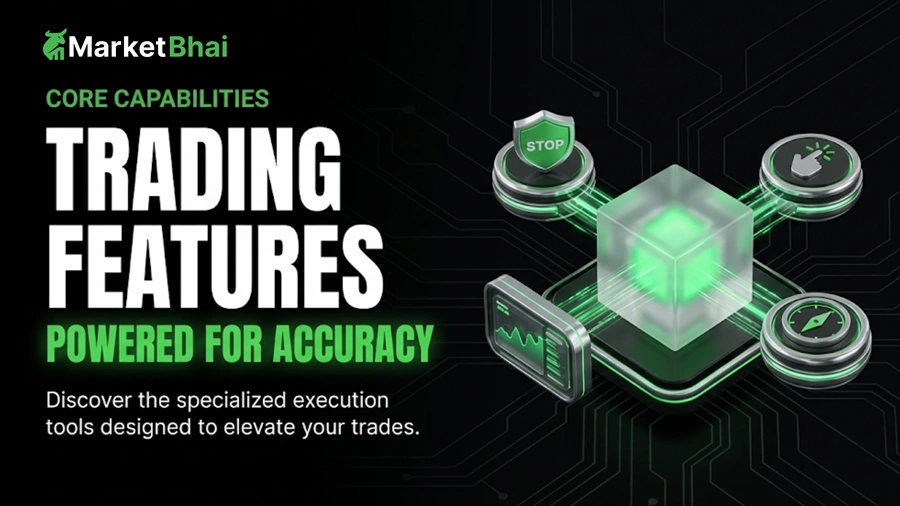
Let us explore the core technological components that make TradeX a preferred destination for global traders. Each feature is purposefully built to address specific challenges encountered during active market participation.
1. High-Performance HTML5 Charting and Technical Indicator Suite
Technical analysis is the foundation of modern trading decisions. TradeX integrates a fully responsive, web-native charting engine powered by advanced HTML5 and WebGL technology, ensuring smooth frame rates and instant data rendering across all devices.
- Multiple Charting Views: Switch effortlessly between Japanese Candlesticks, Heikin-Ashi, Renko bars, Line charts, and Bar graphs to analyze price action from different visual perspectives.
- Extensive Indicator Library: Access over 80 pre-installed technical indicators, including Moving Average Convergence Divergence (MACD), Relative Strength Index (RSI), Bollinger Bands, Ichimoku Clouds, and Volume Profile.
- Advanced Drawing Suite: Utilize precision drawing tools such as Fibonacci retracements, pitchforks, Gann fans, and custom trend channels to map out critical support and resistance pivot zones.
- Multi-Timeframe Analysis: Seamlessly toggle between tick-level scalping charts and monthly macro perspectives to align short-term entries with long-term trends.
2. Institutional-Grade Order Execution and Smart Routing
Execution speed and pricing transparency determine whether a trade captures profit or suffers from costly slippage. TradeX connects users directly to deep tier-one liquidity providers via a sophisticated smart order routing (SOR) system.
| Order Mechanism | Functional Description | Strategic Trading Use Case |
|---|---|---|
| Market Order | Instantly executes the trade at the best available current market price. | Rapid entry or exit when speed is the absolute priority. |
| Limit Order | Executes only at a designated target price or a more favorable rate. | Accumulating positions at key support or resistance levels without paying spread markup. |
| Stop-Loss Order | Automatically triggers a market close when prices move against your position. | Enforcing strict downside capital protection on every active trade. |
| Trailing Stop Order | Dynamically adjusts your stop level as the market moves in a profitable direction. | Locking in gains during extended trending moves without manual intervention. |
| OCO (One-Cancels-the-Other) | Links two orders simultaneously so that executing one automatically cancels the other. | Automating profit targets and stop limits upon opening a breakout position. |
3. Real-Time Depth of Market (DOM) and Order Book Transparency
For active day traders and scalpers, knowing where large institutional buy and sell orders reside is critical for anticipating short-term price reversals. The TradeX Depth of Market (DOM) panel displays level-two liquidity data, giving users real-time visibility into pending limit orders across multiple price tiers.
This transparency allows volume traders to spot significant liquidity walls, identify market exhaustion points, and execute orders ahead of large institutional block transactions with remarkable precision.
4. Integrated Economic Calendar and Financial News Feeds
Macroeconomic data releases often trigger sudden market volatility. TradeX eliminates the need to cross-reference external websites by embedding a real-time economic calendar and live financial news ticker directly inside the trading interface.
Traders can filter upcoming macroeconomic events by country, currency impact level, and expected volatility ratings. This enables proactive risk management, helping investors decide whether to close open positions or hedge exposure prior to high-impact announcements like central bank rate decisions or non-farm payroll reports.
5. Automated Trading and Custom Scripting Environment
Algorithmic trading removes emotional bias from decision-making and allows strategies to execute around the clock. TradeX provides a dedicated scripting and backtesting environment where programmers and quantitative traders can develop, test, and deploy custom Expert Advisors (EAs) or automated trading bots.
By backtesting trading algorithms against years of historical tick data directly within the platform ecosystem, users can validate strategy profitability before deploying real capital into live markets.
Step-by-Step Guide: How to Leverage TradeX Features Effectively
Mastering the tools available on the platform requires a structured approach. Follow these practical steps to optimize your daily trading routine using TradeX capabilities:
- Configure Your Workspace Layout: Log into your TradeX terminal and arrange your panels logically. Pin your primary asset watchlists to the sidebar, expand your core charting window to full screen, and place the order execution box within easy reach.
- Attach Preferred Technical Indicators: Select your core trading assets, open the indicator menu, and apply your signature technical studies such as Exponential Moving Averages and the Relative Strength Index. Save this configuration as a default template for future sessions.
- Establish Risk Parameters Before Entry: Never enter a trade without defining your risk profile. Utilize the order ticket to pre-set your stop-loss and take-profit levels automatically with every new position.
- Monitor Open Trades and Market Depth: Keep an eye on your open positions tab while observing the Depth of Market panel to track shifting liquidity balances during active trading sessions.
- Review Journal Analytics Post-Trade: Utilize the built-in portfolio analytics dashboard at the end of each week to evaluate win-rate consistency, average risk-to-reward ratios, and execution performance.
Best Practices for Maximizing Platform Efficiency
To ensure your trading sessions run smoothly and securely, keep these professional recommendations in mind:
- Keep Your Browser Updated: If using the web version, ensure your browser is running the latest version with hardware acceleration enabled to maintain high chart refresh speeds.
- Utilize Demo Mode for Testing: Always test new technical indicators or unfamiliar order types using the risk-free practice demo account before risking real capital.
- Set Up Smart Price Alerts: Configure push notifications and email alerts for key resistance breakouts to avoid staring at your screen all day.
- Secure Your Account: Enable Two-Factor Authentication (2FA) and biometric logins to safeguard your trading workspace from unauthorized access.
Frequently Asked Questions (FAQs)
1. Are all TradeX trading features available on both mobile and desktop versions?
While the core charting tools, order types, and watchlist synchronization are available across both mobile applications and desktop web terminals, advanced multi-chart layouts and custom algorithmic scripting environments are optimized specifically for desktop and web browser platforms.
2. Do I need coding experience to use automated trading features on TradeX?
No coding experience is required for standard manual trading, charting, and indicator analysis. However, utilizing the automated bot deployment and custom scripting interface requires familiarity with programming languages supported by the platform’s API architecture.
3. How does the Depth of Market (DOM) feature help everyday traders?
The Depth of Market feature displays real-time pending buy and sell orders across various price increments. This helps everyday traders identify high-liquidity walls, judge short-term market momentum, and avoid entering trades right into massive institutional block orders.
4. Is there an extra fee for accessing advanced charting indicators and news feeds?
No, all built-in technical indicators, charting tools, economic calendars, and real-time news feeds are provided free of charge to all active TradeX account holders regardless of their chosen account tier.
5. Can I test new trading strategies without risking real money?
Yes, TradeX provides fully functional demo practice accounts pre-loaded with virtual funds. You can use the demo environment to test new strategies, explore platform features, and evaluate technical indicators under real-time market conditions completely risk-free.
Conclusion
Navigating global financial markets successfully demands more than intuition; it requires a sophisticated toolkit designed to handle volatility, enforce risk discipline, and execute orders with uncompromising speed. By thoroughly understanding the TradeX trading features explained in this guide, you can harness institutional-grade capabilities tailored to your personal trading style. Log into your platform today, customize your workspace, and take complete command of your trading future!