
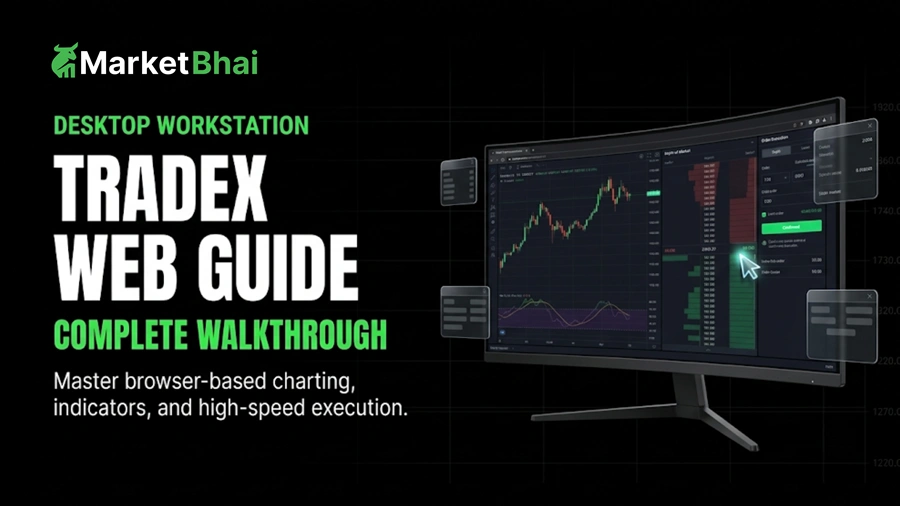

In the modern financial landscape, accessing markets with precision, security, and speed is paramount for successful trading. While mobile applications offer convenience on the go, full-featured browser terminals remain the benchmark for serious market analysis and multi-asset management. The TradeX web platform stands out as a powerful, browser-based ecosystem that brings institutional-grade capabilities directly to your desktop without requiring complex software installations.
Whether you are an active day trader analyzing high-frequency movements or a long-term investor building a diversified portfolio, understanding how to maximize the TradeX web terminal will elevate your trading execution. In this comprehensive guide, we examine the core attributes, setup procedures, navigation mechanics, and advanced trading tools built into the web edition of TradeX.
Why Choose a Web-Based Trading Platform?
Browser-based trading interfaces have evolved significantly beyond simple order entry portals. Today, modern web technologies enable responsive, real-time data streaming and multi-charting capabilities without clogging computer hardware memory. Here are the distinct advantages of using the TradeX desktop web interface:
- Zero Installation Required: Access your workspace instantly from any computer running a modern web browser like Google Chrome, Mozilla Firefox, Microsoft Edge, or Safari.
- Cross-Device Synchronization: Custom chart templates, active indicators, and customized watchlists update automatically across all connected devices.
- Multi-Monitor Capability: Detach individual charts, market depth order books, and news modules across multiple displays for maximum market visibility.
- Superior Processing Power: Leverage cloud-based computation for real-time risk evaluation and instantaneous order routing to liquidity providers.
- Seamless Updates: Enjoy continuous feature improvements and performance upgrades automatically without ever running manual software patches.
Core Features of the TradeX Web Terminal
The web platform combines intuitive design with powerful technical capabilities. Here is an in-depth breakdown of the standout features available directly within your browser window.
1. High-Performance Multi-Chart Workspace
Technical analysis is the bedrock of disciplined market execution. The web interface offers an interactive charting module powered by HTML5 technology, allowing users to view up to eight charts simultaneously within a single browser tab. Charting highlights include:
- Diverse Chart Types: Choose between Japanese Candlesticks, Renko, Heikin-Ashi, Line, and Area charts.
- Comprehensive Indicator Library: Access over 80 built-in technical indicators including Moving Average Convergence Divergence, Relative Strength Index, Stochastic Oscillators, and Volume Profile.
- Advanced Drawing Suite: Utilize pitchforks, Gann fans, Fibonacci retracements, and freehand drawing tools to identify critical dynamic support and resistance zones.
- Saveable Layout Templates: Create and store customized chart configurations for different asset classes or trading strategies.
2. In-Depth Order Book and Market Depth (DOM)
Understanding liquidity distribution is essential for predicting short-term momentum. The TradeX web terminal features a dynamic Depth of Market (DOM) panel displaying real-time bid and ask volumes across various price levels. This enables scalpers and volume traders to identify significant buy or sell walls before placing orders.
3. Advanced Order Execution Suite
Effective risk mitigation requires flexible order functionality. TradeX supports an expansive list of execution modes:
| Order Mechanism | Description | Strategic Application |
|---|---|---|
| Market Order | Instantly fills your position at the prevailing market rate. | Capturing fast breakouts or urgent exits. |
| Limit Order | Places an order to execute only at a specified target price or better. | Entering key support or resistance rebounds cleanly. |
| Stop-Limit Order | Triggers a limit order once a predetermined trigger price is reached. | Preventing unexpected slippage during volatile news events. |
| Trailing Stop | Tracks market movement dynamically by a designated distance in points. | Maximizing profits during extended unidirectional trends. |
| Bracket Order | Automatically attaches profit targets and stop-loss limits upon entry. | Enforcing strict risk-to-reward parameters on every position. |
4. Integrated Economic Calendar and Real-Time News Stream
Macroeconomic events drive major structural shifts in global assets. The TradeX web terminal integrates a real-time financial news stream and an interactive economic calendar. Filter macroeconomic announcements by currency, impact level, and country to stay prepared for high-impact market volatility.
5. Automated Trading and Custom Scripting Interface
For algorithmic traders, the platform provides a dedicated scripting module. Users can write, backtest, and deploy custom algorithmic indicators and automated trading bots. Test trading logic against historical tick data directly within your web browser before going live.
Step-by-Step TradeX Browser Platform Tutorial
Follow this detailed walkthrough to configure your workstation and start trading on the TradeX web application smoothly.
Step 1: Logging into the Web Terminal
Open your browser and navigate directly to the official TradeX portal. Select the Web Platform option from the top navigation bar and enter your account credentials. Secure your login session by completing the mandatory Two-Factor Authentication (2FA) verification code sent to your phone or authenticator app.
Step 2: Customizing Your Workstation Workspace
Upon initial entry, you will see the default layout containing market summary panels, price charts, and portfolio metrics. Drag and drop panels to reconfigure your view. You can expand the main chart window, pin your preferred asset watchlist to the left sidebar, and position the active order window at the bottom of your screen.
Step 3: Creating and Filtering Asset Watchlists
Click the + icon in the Watchlist panel to form a new asset bucket. Group your assets logically according to market sectors, such as Global Forex, Equity Indices, Commodities, or Digital Assets. Use search filters to sort instruments by daily volume, largest percentage gainers, or highest percentage losers.
Step 4: Analyzing Charts and Formulating Entry Plans
Select your desired financial instrument to populate the central charting view. Choose your primary timeframe, apply required indicators like Volume and Exponential Moving Averages, and draw key trend lines. Identify your precise entry level, profit target, and protective stop-loss zone prior to opening the execution box.
Step 5: Placing and Managing an Active Position
When you are ready to enter the market, click either the Buy or Sell button in the order entry module:
- Choose your preferred order execution type (e.g., Limit or Market).
- Input your desired trade volume or lot size.
- Toggle on Stop Loss and Take Profit, then enter your specific price triggers.
- Click Submit Order to route your request to the market engine.
Monitor open trades in the Open Positions tab located at the base of your screen. You can modify target levels or close trades manually at any point.
Best Practices for Online Trading on TradeX Web
Optimizing technical setups and habits ensures a smooth trading experience. Consider these actionable security and efficiency practices when utilizing the browser portal:
- Use Hardware Acceleration: Ensure your web browser settings have Hardware Acceleration enabled to maintain high chart refresh rates and smooth scrolling performance.
- Enable Browser Session Timeout Settings: Configure automatic session logouts after short periods of inactivity to prevent unauthorized access if you step away from your workstation.
- Bookmark the Official Web Portal: Always access the platform through verified browser bookmarks to protect yourself from malicious spoofing or phishing websites.
- Maintain a Stable Internet Connection: Connect via high-speed Ethernet or secure Wi-Fi networks to prevent connection drops during order execution moments.
Frequently Asked Questions (FAQs)
1. Do I need to install any software plugins to use TradeX web?
No, the TradeX web interface runs natively in any standard modern web browser using HTML5 and WebGL technologies. You do not need to install Flash, Java, or third-party web plugins to access complete trading functionality.
2. Can I run multiple trading layout templates simultaneously on web?
Yes, you can create and save several workstation layouts directly within your account settings. Switch between custom layouts tailored for macro market overviews, scalping views, or technical analysis with a single click.
3. Is the TradeX web terminal as fast as a standalone desktop program?
Yes, the web terminal is engineered with low-latency WebSockets architecture, facilitating instant data streaming and order transmission comparable to dedicated desktop software applications without consuming excessive system resources.
4. How do I clear workspace display issues or chart loading lag?
If you experience temporary chart display latency or display anomalies, clear your web browser cache and cookies, then refresh the page. Ensuring hardware acceleration is toggled on inside your browser settings will also boost rendering performance.
5. Are my active orders saved if I close my web browser tab?
Yes, all active orders, including stop-loss parameters, take-profit limits, and pending limit orders, are stored securely on the central TradeX servers. They will continue to execute according to market conditions even if you close your web browser or disconnect from the internet.
Conclusion
The TradeX web platform provides an ideal blend of execution speed, deep market visibility, and technical flexibility for modern investors. By mastering the tools outlined in this TradeX web terminal features guide, setting up personalized charting environments, and maintaining strict risk controls, you can navigate global financial markets with heightened confidence. Log into your web portal today, tailor your workstation layout, and refine your approach to online trading on TradeX web!